--- title: "Response time — SAFE SWIM AI drowning detection system | Fortune AI" description: "Keep alert, acknowledgement and observed response timing in one reviewable record. Detection, acknowledgement and on-site response times." canonical: https://www.fortuneai.app/industries/aquatics/applications/response-time/ language: en --- [SAFE SWIM AI drowning detection system](https://www.fortuneai.app/industries/aquatics/) [Overview](https://www.fortuneai.app/industries/aquatics/)[Applications](https://www.fortuneai.app/industries/aquatics/applications/)[How it works](https://www.fortuneai.app/industries/aquatics/workflow/)[Application stories](https://www.fortuneai.app/industries/aquatics/stories/)[Buyer FAQ](https://www.fortuneai.app/industries/aquatics/faq/) [Industries](https://www.fortuneai.app/industries/) / [SAFE SWIM AI drowning detection system](https://www.fortuneai.app/industries/aquatics/) / Response time SAFE SWIM AI drowning detection system # Response time Keep alert, acknowledgement and observed response timing in one reviewable record. 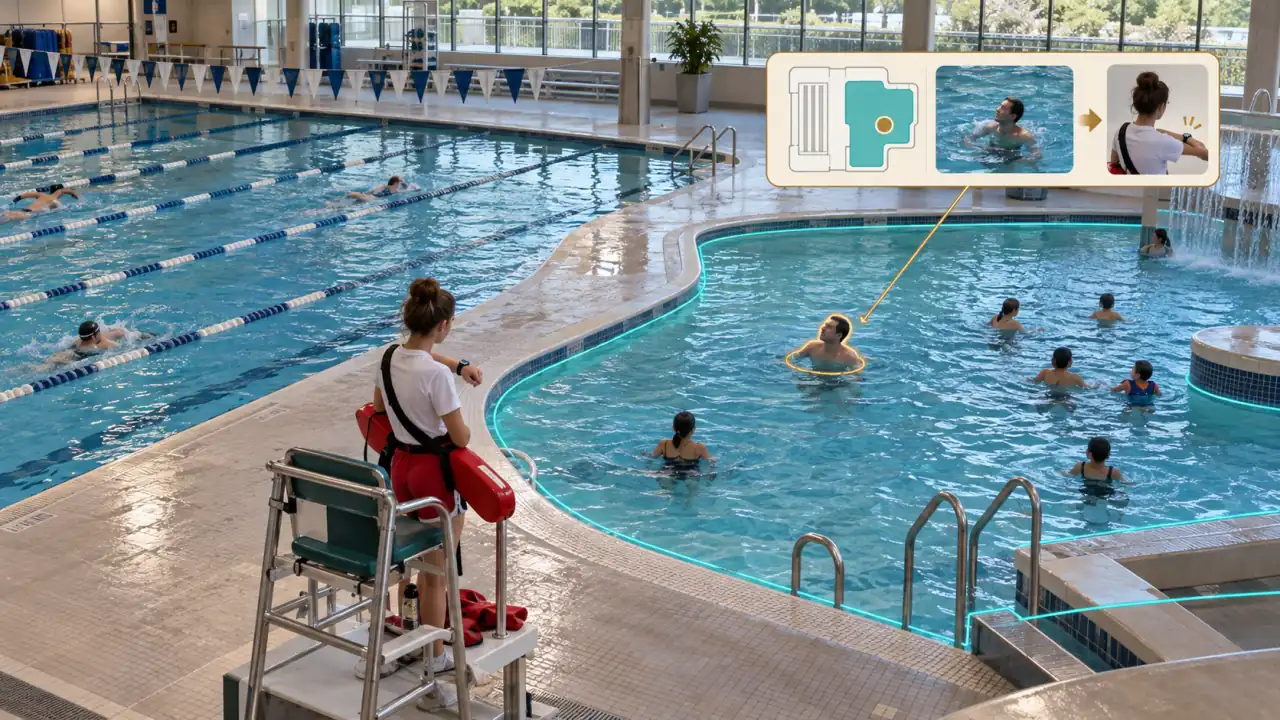 Illustrative application · Original AI-generated visual Matched sources ## Keep the pool view, alert and response connected Lifeguards need the affected zone and supporting view when attention is required. Keep the notification and response sequence available for team review. ▤ ### Business records pool zones, supervision assignments and incident-response procedures ◉ ### Physical evidence possible distress, the relevant pool zone and supporting camera view Assess the alert ## Response time Keep alert, acknowledgement and observed response timing in one reviewable record. - **Responsible owner:** Assigned lifeguard and pool supervisor - **Action for approval:** assess the alert immediately and respond under the facility procedure - **What the team verifies:** Detection, acknowledgement and on-site response times - **Operating comparison:** an immediate on-site response and subsequent supervised review How it works ## From a possible-distress flag to lifeguard response. The assigned lifeguard assesses the alert and responds while active supervision continues. 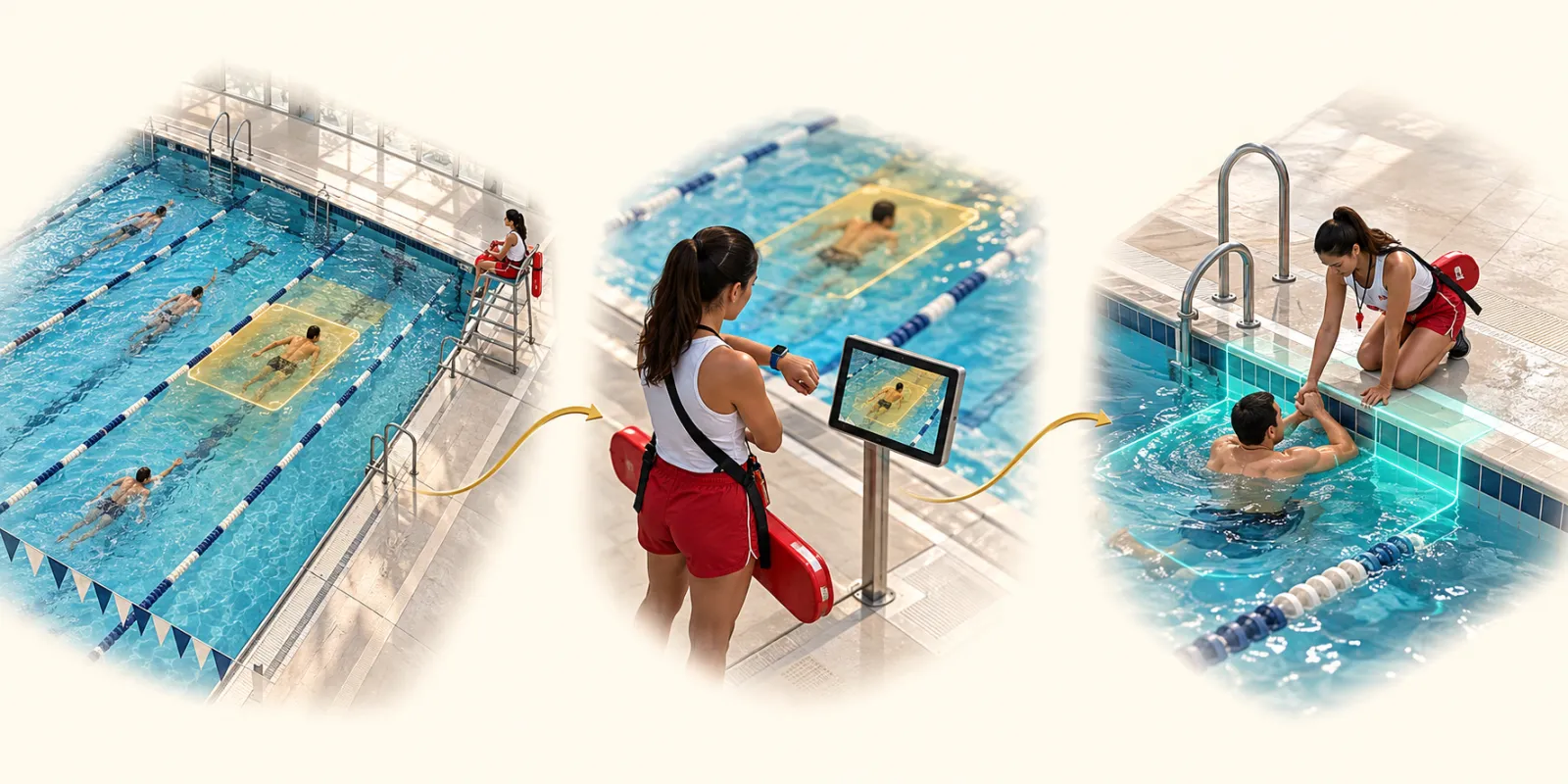 Illustrative application · Original AI-generated visual - 01 Detect possible distress possible distress, the relevant pool zone and supporting camera view - 02 Assess immediately pool zones, supervision assignments and incident-response procedures - 03 Respond on site assess the alert immediately and respond under the facility procedure [How it works ↗](https://www.fortuneai.app/industries/aquatics/workflow/)[Application stories ↗](https://www.fortuneai.app/industries/aquatics/stories/)[Buyer FAQ ↗](https://www.fortuneai.app/industries/aquatics/faq/) Applications ## Explore this product [01 AI pool monitoring ↗](https://www.fortuneai.app/industries/aquatics/applications/ai-pool-monitoring/) Monitor the agreed pool zones and highlight possible distress with the relevant camera view. [02 Lifeguard alerts ↗](https://www.fortuneai.app/industries/aquatics/applications/lifeguard-alerts/) Send the affected zone and camera evidence to the responsible lifeguard for immediate assessment. [04 Pool safety & operating review ↗](https://www.fortuneai.app/industries/aquatics/applications/pool-safety-review/) Review response practice, occupancy and pool usage to improve daily coverage and training. Fortune AI ## Bring one operating question. See your records, the relevant scene and an accountable next action in one review. [Request a demo ↗](https://www.fortuneai.app/book/)