
SAFE SWIM AI drowning detection system
How to use SAFE SWIM AI drowning detection system
Ask an operating question, inspect its evidence, approve an action and compare the result in the product workspace.
Inside Fortune AI
During pool supervisionWhich pool zone needs attention now?
Detect distress
Identify possible distress and its zone
AI observation identifies possible distress in the monitored pool and brings the affected zone into view.
Matched evidence
- pool zones, supervision assignments and incident-response procedures
- possible distress, the relevant pool zone and supporting camera view
Alert the lifeguard
Notify the assigned lifeguard
Share the affected zone and supporting camera view for immediate lifeguard assessment.
Accountable action
- Assigned lifeguard and pool supervisor
- assess the alert immediately and respond under the facility procedure
Respond on site
Respond on site Retain the record
The lifeguard responds under the facility procedure while active supervision continues. Review the response record afterward.
Outcome comparison
- Pool-zone observation and possible-distress events
- an immediate on-site response and subsequent supervised review
Responsible team · Assigned lifeguard and pool supervisor
Explore the operating instructions
Inside the product
Start with the question you need answered
Which pool zone needs attention now?
Confirm the zone and owner
Review the configured pool zone, supervision assignment and facility response procedure.
Assess immediately
Open the affected zone and supporting view so the assigned lifeguard can assess the scene immediately.
Respond on site
The responsible lifeguard responds under the facility procedure while active supervision continues.
Review the response record
After the response, compare detection, acknowledgement and response timing with the supervisor to review coverage and training.
Explore the operating detail
Detection to response
Put safe swim ai drowning detection system to work
Lifeguards need the affected zone and supporting view when attention is required. Keep the notification and response sequence available for team review.
Operating context
Review alert delivery, response time, pool usage and team follow-up.
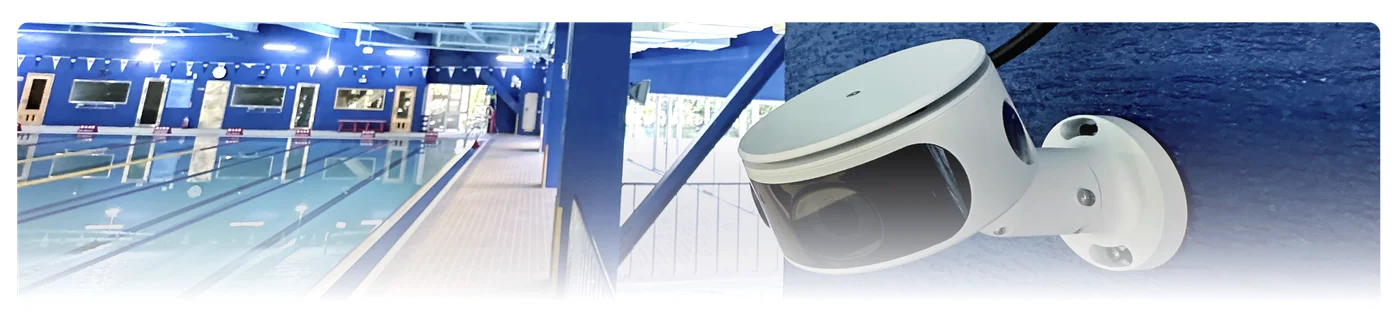
- 01
AI drowning detection & pool monitoring
Monitor the configured pool zones and highlight possible distress with its location and relevant camera evidence.
- 02
Lifeguard alerts
Send the affected pool zone and camera view to the responsible lifeguard for immediate assessment and on-site response.
- 03
Response time
Keep alert delivery, acknowledgement and on-site response times in one record. Review missed or false alerts after the response, then validate coverage and training without delaying immediate lifeguard assessment.
- 04
Pool safety & operating review
Review pool occupancy, response practice and operating records to improve supervision coverage and team training.
Commercial pool buyer guide
Evaluate the camera, alert, and response path together
Review coverage, false alerts, missed events, notification delivery, outages, staff training, and on-site response before operational use.
Fortune AI
Bring one operating question
See your records, the relevant scene and an accountable next action in one review.