
Direct answer
What can cold storage video analytics measure?
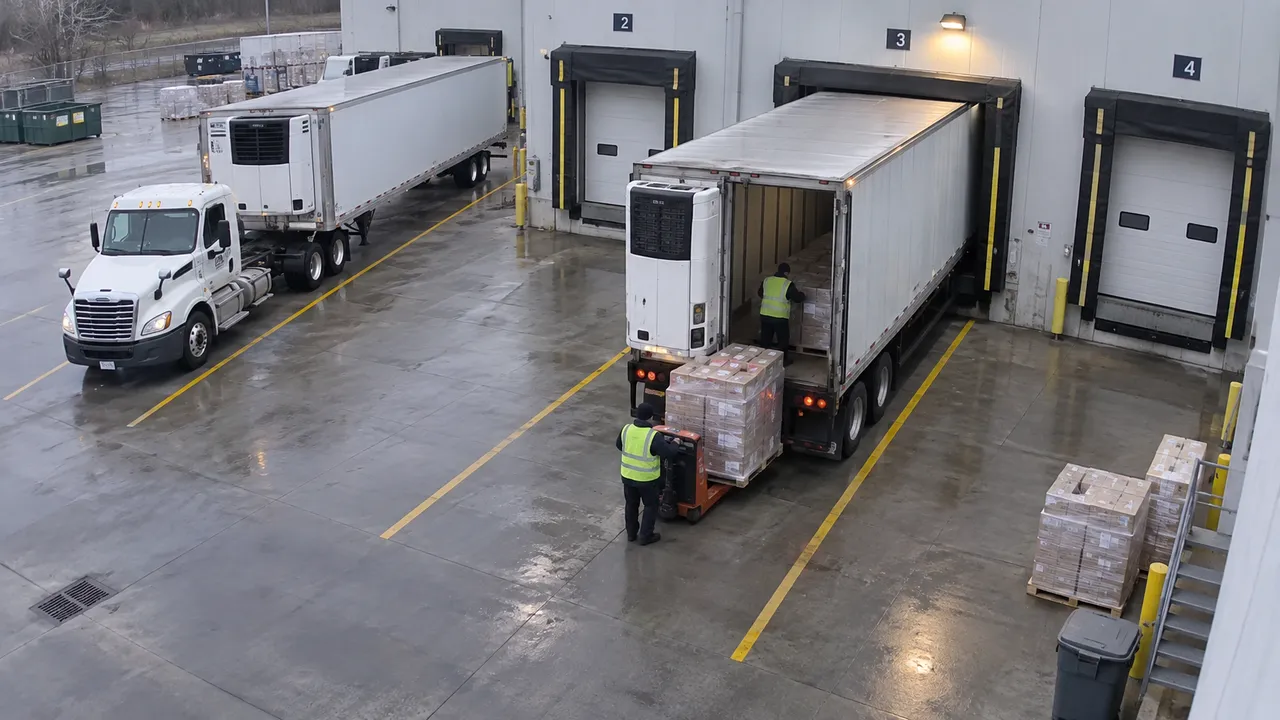
Cold storage video analytics can measure visible reefer dwell, dock-door occupancy, pallet waiting, door-open intervals, and pick-floor coverage from approved camera views. Join those intervals to shipment or inventory records when identity matters, and use calibrated sensors—not video—for product temperature, cold-chain compliance, or food-safety decisions.
01 · Separate the records
Which cold-storage questions belong to cameras, systems, and sensors?
Camera evidence
- Truck arrival, assigned-door occupancy, and departure
- Visible pallets waiting in an agreed staging zone
- Cold-room door-open intervals and pick-floor coverage
Operating records
- Appointment, load, ASN, receipt, and dispatch identity
- Inventory status and accepted receiving or putaway event
- Carrier, shift, exception, and disposition records
Calibrated sensors
- Air or product temperature
- Alarm state and monitoring history
- Food-safety and cold-chain compliance evidence
Keep these sources distinct in the result. A long visible wait may identify an operational review interval, but it does not establish a temperature excursion or product condition.
02 · Build one timeline
Which cold-storage metrics should be reviewed together?
| Operating question | Visible measure | Required context |
|---|---|---|
| Why are reefers waiting? | Arrival-to-door, service, and door-to-departure intervals. | Appointment, load class, assigned door, and carrier record. |
| Are doors used evenly? | Occupied and available door-minutes by hour. | Door assignment, maintenance, and product-handling constraints. |
| Where does ambient staging build? | Pallet count and dwell in the agreed zone. | Receipt, putaway, dispatch, and separately measured temperature state. |
| Does coverage match outbound demand? | Workers present and visible work states by zone. | Authorized shift, order, and completed-load records. |
03 · Explain the delay
How do you find the cause of cold-storage dock dwell?
- Split the interval. Keep pre-door waiting, occupied-door time, active movement, pauses, closeout, and departure separate.
- Match comparable work. Compare the same load class, shift, appointment condition, and handling requirement.
- Review the supporting view. Confirm whether the repeated wait is at assignment, unloading, checks, staging, movement, or closeout.
- Test one operating change. Re-measure the same intervals after changing one rule, such as door assignment or staging ownership.
04 · Pilot one decision
How should a cold-storage analytics pilot start?
Choose one dock, staging zone, or pick-floor decision that approved cameras can show. Define the events, required records, exclusions, uncertainty rules, and review owner before measuring. Report coverage gaps and missing system events with the result.
Discuss your cold-storage flowSources and method
What this guide is based on
This page combines Fortune AI's operating-measurement method with the sources below. It does not report customer performance unless a result is explicitly identified as a customer result.
- FDA food storage guidanceWhy food temperature should be measured and documented with calibrated temperature sensors rather than inferred from video.
- GS1 Global Traceability StandardHow traceable events and data connect receiving, packing, shipping, and logistics units.