
Warehouse video analytics
How it works
Connect warehouse video analytics with WMS, ERP and loading dock monitoring. Explain gap time between readiness, staging and loading, approve the next-shift plan, then verify warehouse productivity, inventory accuracy and truck turnaround time.
How it works
One operating question. A complete path to action.
Fortune AI matches records with physical evidence and proposes an improvement. Your team approves the action and assigns its owner before the next comparable operation.
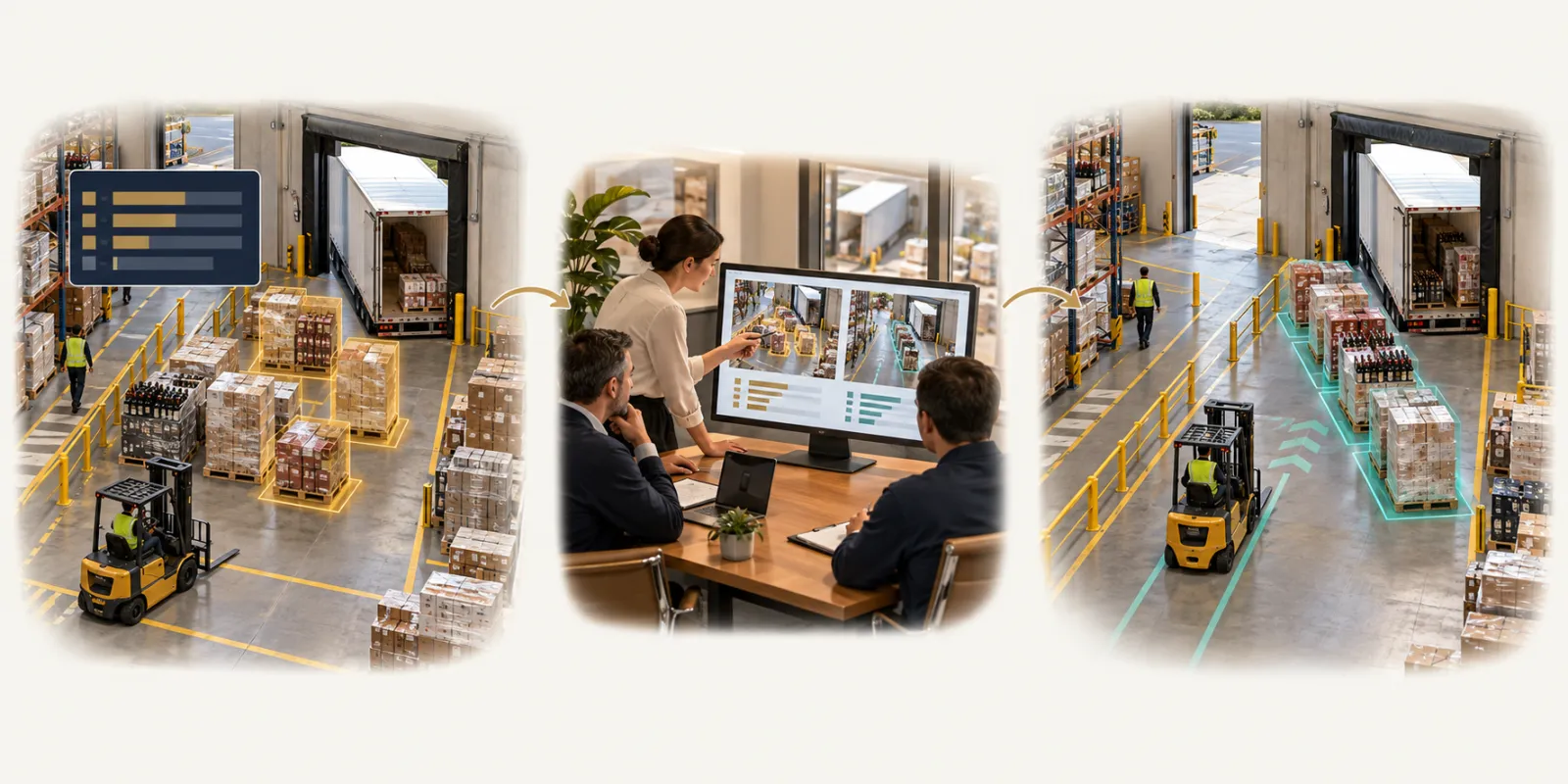
- 01
First operation
Completed scans can hide travel, staging dwell and loading delays. Connect system milestones with actual handoffs to find what constrains capacity.
- 02
Later team review
Warehouse and dispatch leads · revise staging locations, loading order and forklift coverage
- 03
Next comparable operation
Verify throughput, inventory accuracy and truck turnaround on comparable shifts.
Connected workflow
From source records to an accountable next move.
Business records
WMS tasks, ERP shipments, pallet scans and dock appointments
Physical evidence
actual placement, staging arrival, dock arrival and loading intervals
Review the AI recommendation
Warehouse and dispatch leads · revise staging locations, loading order and forklift coverage
Verify the outcome
Matched shipment, pallet, dock and vehicle handoffs
Explore the operating detail
Start with the problem
What needs to change in your warehouse?
Choose the operating question
Inventory accuracy, outbound errors, receiving speed, or productivity?
For a disputed movement, start with the inventory loss guide. For wrong loads or short shipments, use the shipping-error guide. For receiving, use the dock-to-stock guide. For output per labor hour, read the labor-productivity guide.
Fortune AI
Bring one operating question.
See your records, the relevant scene and an accountable next action in one review.